

The contract is signed. The client said yes. Then the first meeting opens with a slide that says “Welcome to Our Partnership!”, followed by the company history, the values, the logo wall, a few case studies and a five-step process diagram. It is the same deck that won the deal, with a new title slide.
Nothing on those slides is wrong. It just answers questions the client stopped asking a week ago. On day one, they are not deciding whether to trust you. They have already decided. Now they want to know what happens next, what you need from them, and how they will know it is working.
This guide is for founders, agency owners, consultants, account managers and project leads who run kickoff meetings with clients. It walks through what a kickoff deck is for, what belongs in it, how to build each part in PowerPoint or Google Slides, and a short check to run before the meeting.
Why kickoff decks keep selling
Kickoff decks drift toward sales content for understandable reasons. The sales deck is already designed, approved and on brand. It is the most polished file the team has. The kickoff is often scheduled quickly after the contract is signed, so the fastest option is to duplicate the pitch and add a timeline at the end.
There is also a quieter reason. Selling feels safe. Talking about your experience and your process keeps the meeting on familiar ground. Talking about the client’s deadlines, their missing data and the decisions they still have to make is harder, because it puts open questions on the table in front of everyone.
But those open questions are exactly why the meeting exists. A kickoff that avoids them pushes them into week three, when the work is already late.
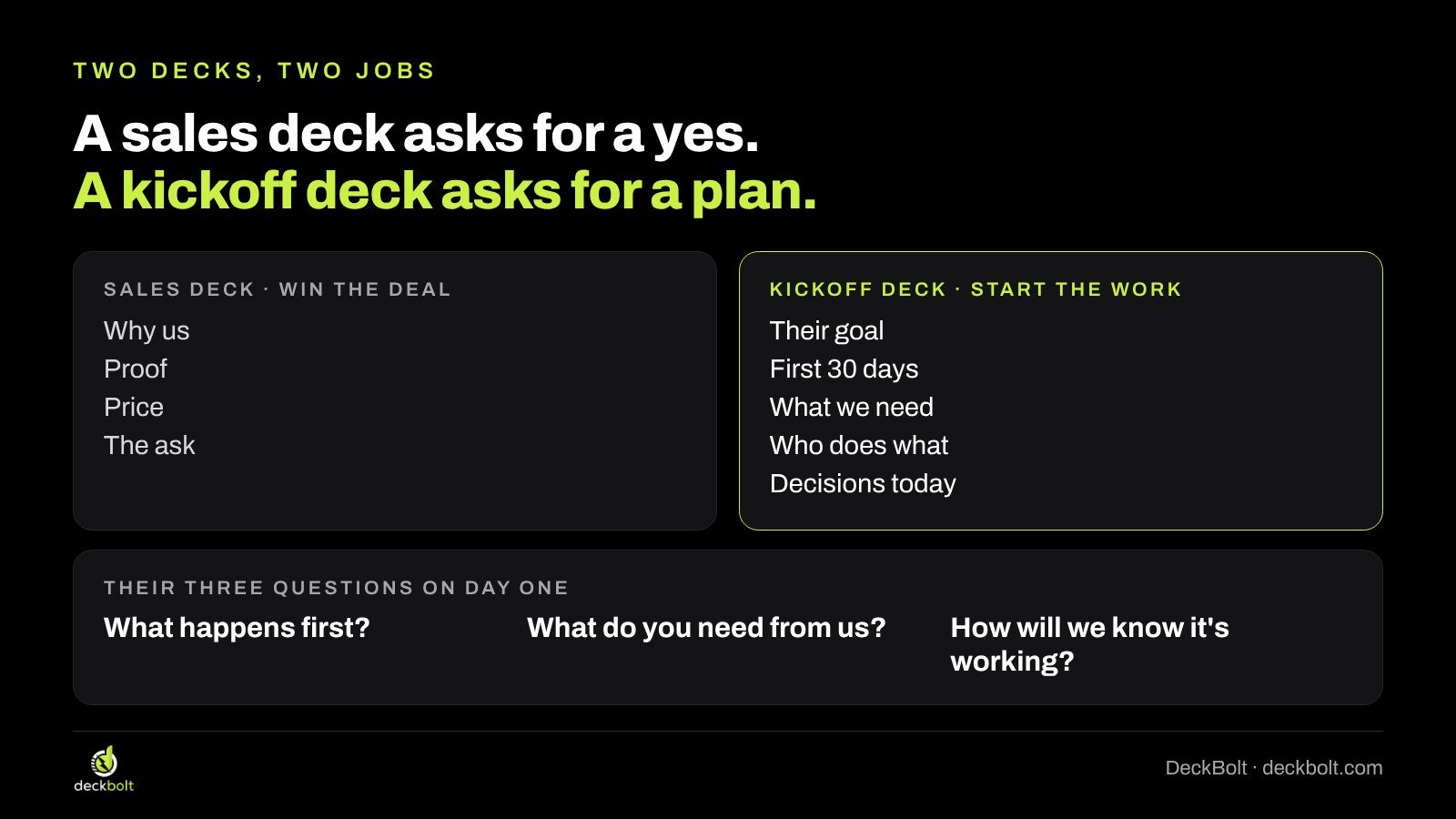
A sales deck asks for a yes. A kickoff deck asks for a plan.
The simplest way to see the difference is to compare what each deck is trying to get from the room.
- A sales deck asks for a decision: why us, the proof, the price and the ask. Its job is to win the deal.
- A kickoff deck asks for a shared plan: their goal, the first 30 days, what you need from them, who does what and the decisions to make today. Its job is to start the work.
Every slide in a kickoff deck should help answer one of three questions the client brings into the room:
- What happens first?
- What do you need from us?
- How will we know it’s working?
If a slide answers none of them, it belongs in the appendix or in the sales deck, not in the kickoff.
Step 1: Start with their goal, in their words
The first content slide should play back what the client wants to achieve, using the language they used during the sales process. Not your description of the project, and not your methodology. Their outcome.
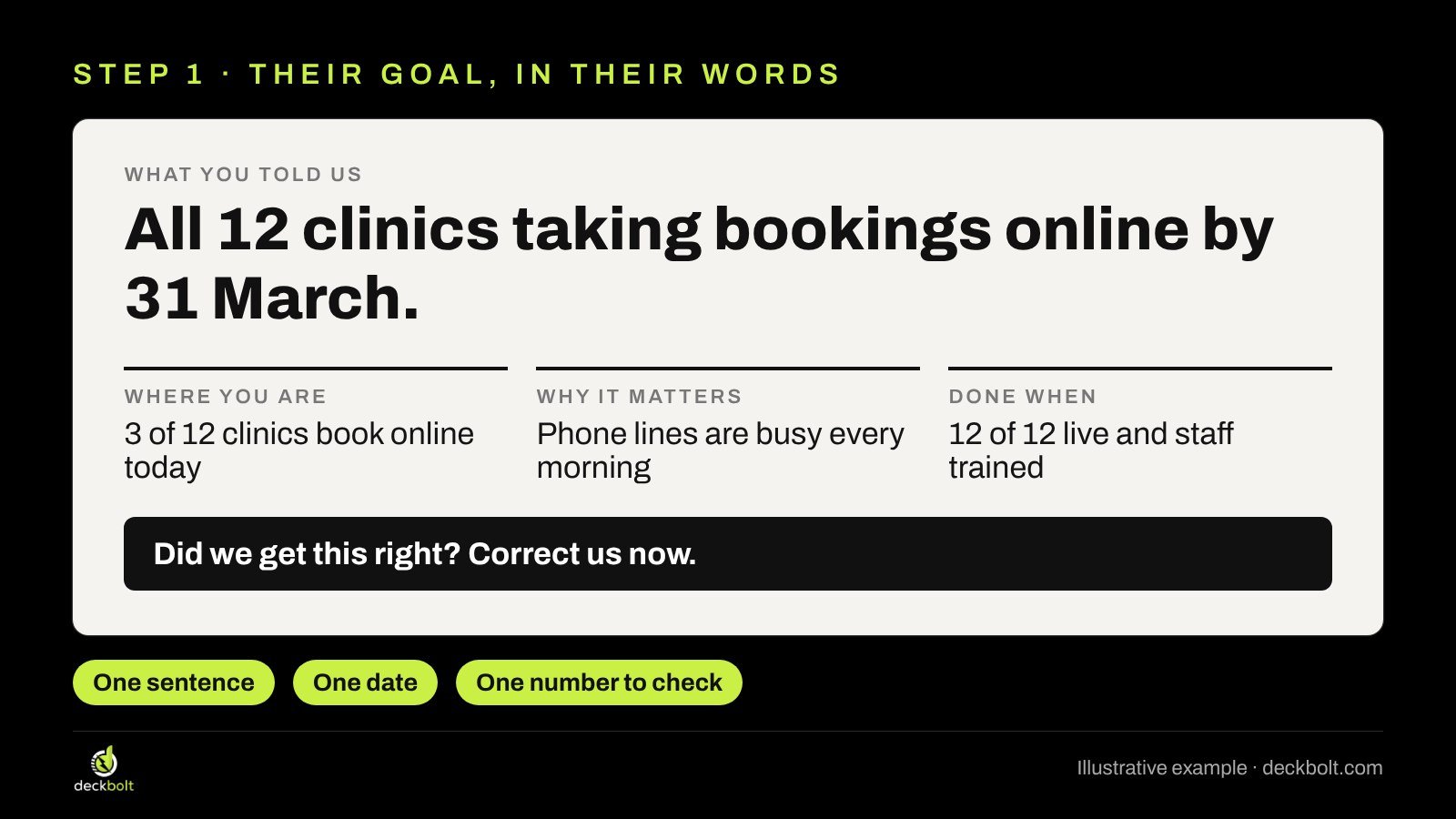
A good goal slide has three things: one sentence, one date and one number they can check. For example, for an illustrative clinic group rolling out online booking:
“All 12 clinics taking bookings online by 31 March.”
Under that headline, add three short facts:
- Where you are: 3 of 12 clinics book online today.
- Why it matters: phone lines are busy every morning.
- Done when: 12 of 12 clinics are live and staff are trained.
Then end the slide with an invitation: “Did we get this right? Correct us now.” This line does real work. If the goal is wrong, or the date has moved, or a new person in the room sees it differently, you want to hear it on slide two, not after the plan has been built around it.
How to build it: use your title placeholder for the goal sentence so it shows in the outline and in any exported PDF’s structure. In PowerPoint, a three-column layout from the slide master keeps the three facts aligned. In Google Slides, Slide → Apply layout gives you the same columns if your theme has them; otherwise use three text boxes and the Arrange → Distribute options to space them evenly.
Step 2: Show the next four weeks, not your whole process
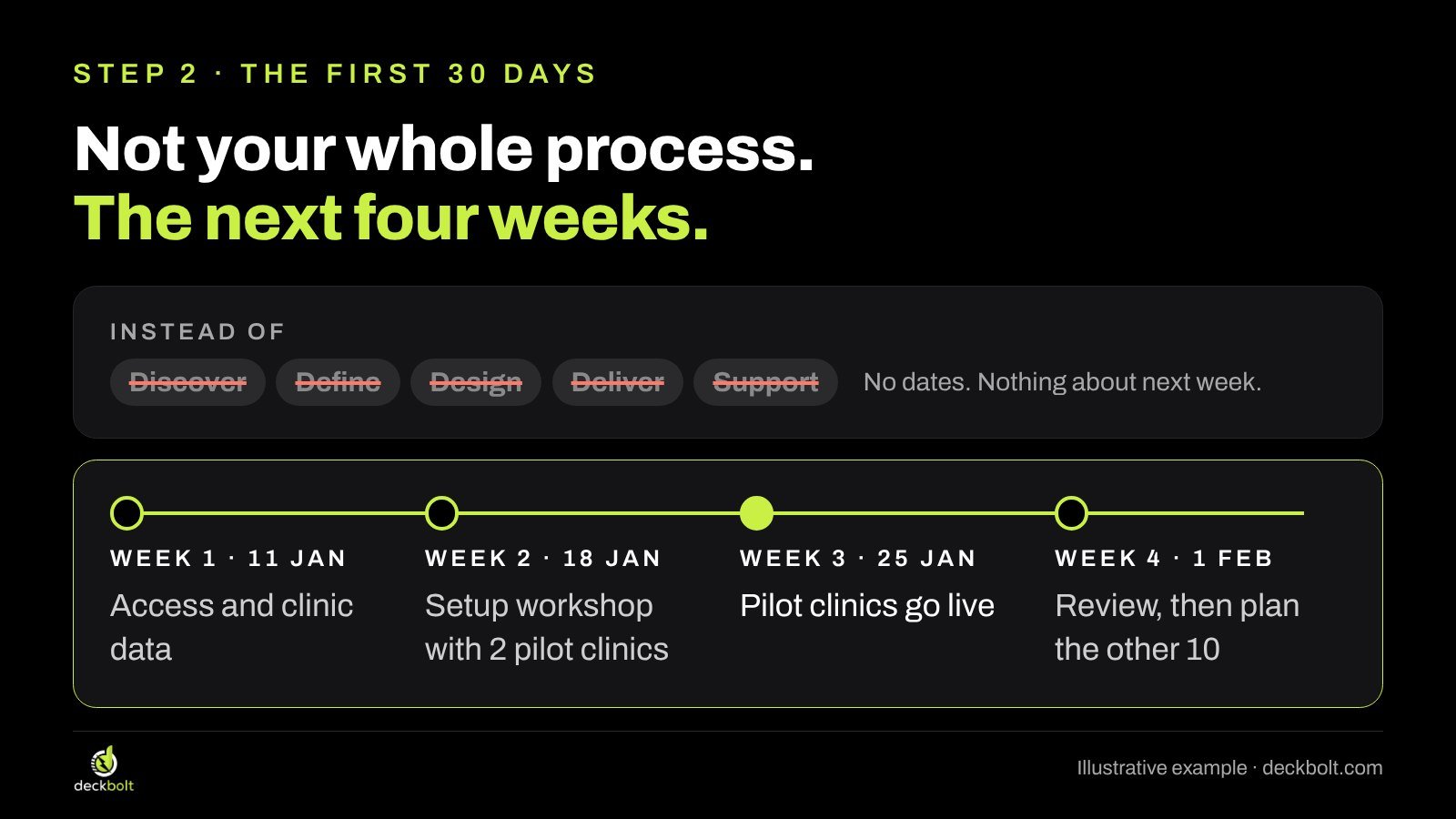
Many kickoff decks include a process diagram: Discover, Define, Design, Deliver, Support. It looks organized, but it tells the client nothing about next Tuesday. There are no dates, no outcomes and no sense of what they will see first.
Replace it with the first 30 days, week by week, with one outcome per week:
- Week 1 (11 Jan): access and clinic data.
- Week 2 (18 Jan): setup workshop with 2 pilot clinics.
- Week 3 (25 Jan): pilot clinics go live.
- Week 4 (1 Feb): review, then plan the other 10.
Highlight the first moment the client will see a real result. In this example it is week 3, when the pilot clinics go live. That single milestone gives the sponsor something concrete to report upward, and it gives everyone a near-term date to work toward.
The full project plan still matters. Put it in the appendix, or share it as a separate document, and refer to it. The kickoff slide only needs to show what happens before the next check-in.
How to build it: a timeline drawn with a horizontal line and four circles is enough. Space the weeks evenly, since they are equal periods. Use one accent color for the highlighted milestone and keep the rest neutral. If you want dates to stay in sync with a plan, keep the plan in a spreadsheet and update the slide from it, rather than maintaining two versions by hand.
Step 3: Put what you need from them on a slide
Projects rarely slip because the supplier forgot what to do. They slip because something the client had to provide arrived late: access to a system, a list of locations, a decision on scope, people for a workshop. These requests are often mentioned in passing during the kickoff, and nobody writes them down.
Give them their own slide, as a simple table with three columns: what we need, who, and by when.
- Admin access to the booking site: IT lead, 13 Jan.
- Opening hours for all 12 clinics: operations, 15 Jan.
- Two pilot clinics chosen: sponsor, 15 Jan.
- 4 staff for the setup workshop: clinic managers, 18 Jan.
Two rules make this slide work. First, name a role or a person for each item, never “your team”. A request owned by everyone is owned by no one. Second, say what moves if an item is late. In this example, the pilot launch in week 3 depends on access in week 1. Saying that out loud now is far easier than explaining a delay later.
Step 4: Name the people on both sides and how you’ll work
Clients often meet several people from the supplier side at the kickoff, and the supplier meets several people from the client side. A week later, nobody is sure who to email about what.
One slide fixes this. Split it into their side and your side, and give each person one line about their role:
- Their side: sponsor (signs off each stage), day-to-day lead (answers questions within a day), IT lead (access and data).
- Our side: project lead (runs the plan, sends the weekly update), setup specialist (builds it and trains staff).
Below that, add how you will work together: a weekly 30-minute call, one shared channel for questions, and a simple escalation rule such as “stuck for 2 days? It goes to the sponsor.” That last line matters more than it looks. It gives everyone permission to raise a problem early, without it feeling like a complaint.

Step 5: Name the risks you can see, and end on decisions
A kickoff deck should not pretend everything will go smoothly. If you can already see a risk, name it with a plan. In the clinic example: opening hours differ by clinic, so collect them all in week 1; staff are busy during the morning rush, so schedule training after 2 pm. Naming risks early shows you have thought about the client’s reality, not just your process.
Then end the deck on decisions, not on “Thank you! Any questions?” List the few things you need the room to decide before people leave:
- Which two clinics go first?
- Who signs off each stage?
- Weekly call on Tuesdays at 10?
Leave this slide on screen while you discuss them. When the meeting ends, write the answers into the follow-up email the same day.
A before and after
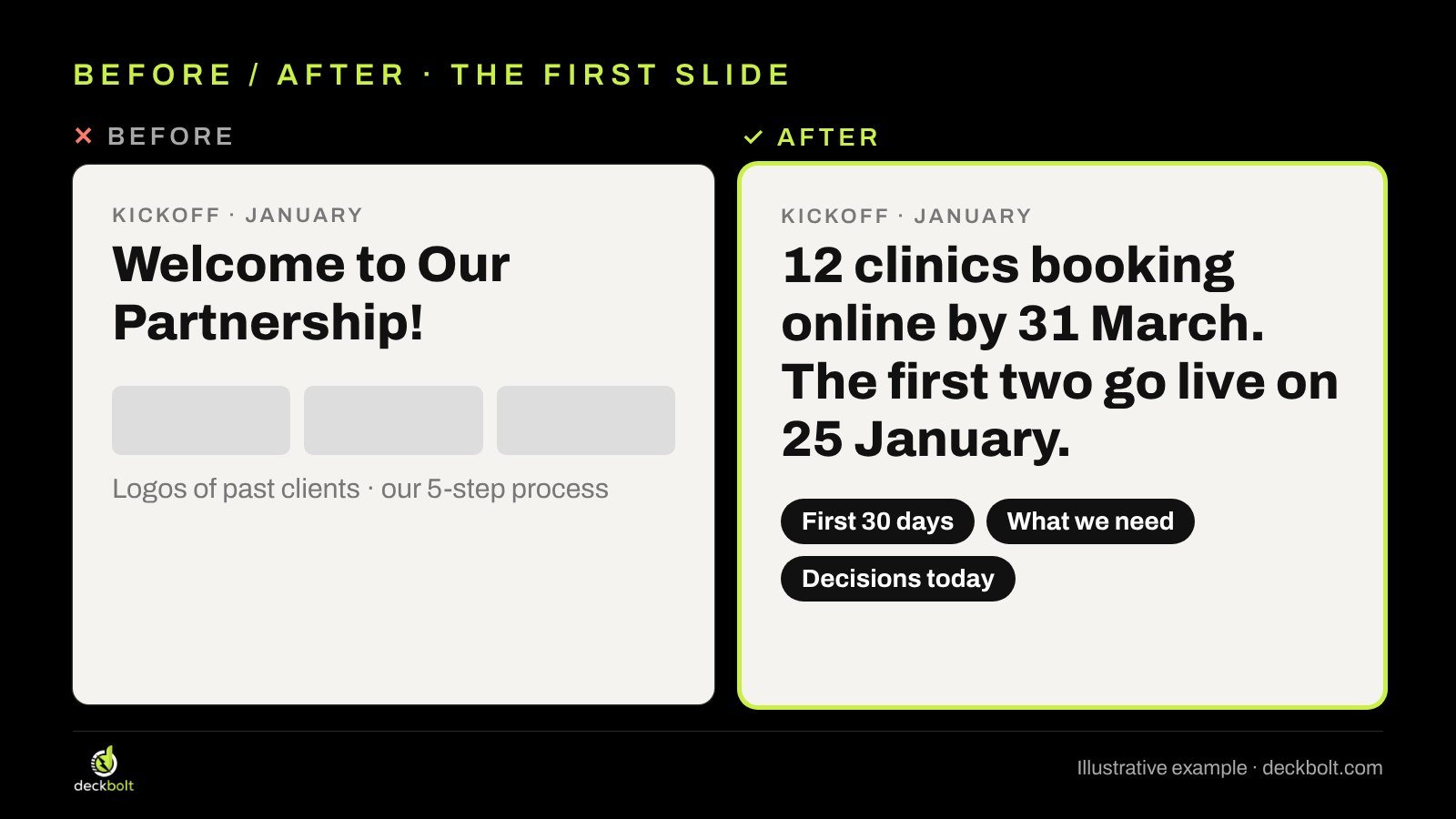
Here is the same kickoff, opened two ways.
Before: a first slide titled “Welcome to Our Partnership!”, a row of past client logos and the five-step process. Pleasant, but it gives the client nothing to act on.
After: a first slide titled “12 clinics booking online by 31 March. The first two go live on 25 January.” with three links to the sections that follow: the first 30 days, what we need, and decisions today. In one line, the client knows the goal, the first milestone and what the meeting will cover.
You do not need to delete your company story. If new people are joining from the client side who never saw the sales process, one short “who we are” slide near the end is fine. It just should not be the opening.
Common mistakes to avoid
- Reusing the sales deck with a new cover. It answers last month’s questions.
- A process diagram with no dates. It looks like a plan but commits to nothing.
- Asks hidden in speaker notes or in conversation. If it isn’t on a slide, it won’t be in anyone’s to-do list.
- “Your team” as an owner. Name a role or a person.
- Ending with “Any questions?” End with the decisions you need, and get them.
- Too many slides. A kickoff deck that runs past ten or twelve main slides usually contains sales content or the full project plan. Move both to the appendix.
The kickoff deck check
Run these five questions before the meeting:
- Does the first slide state their goal, with a date?
- Can they see the next 30 days, week by week?
- Is every ask on a slide, with an owner and a date?
- Does each side know who to call when something is stuck?
- Does it end on decisions, not “Any questions?”
One more tip: send the deck the day before. It lets the client correct the goal or the dates before the meeting, so the meeting itself can be spent on decisions. If you send it ahead, check that it reads well without you presenting it; our send-ready checklist covers that.
If you want a deeper look at how decks for buyers and investors differ, see sales deck vs pitch deck. For opening with the point instead of the background, the same idea applies in answer-first executive presentations. And if you are still at the shortlist stage, our guide to vendor presentations covers the deck that wins the deal in the first place.
Note: the clinic project, dates, roles and numbers in this guide are illustrative examples, not a real client.
Starting a client project that matters? DeckBolt designs pitch, sales, client and executive presentations in PowerPoint and Google Slides. Request a free deck review and we’ll show you what to change.