
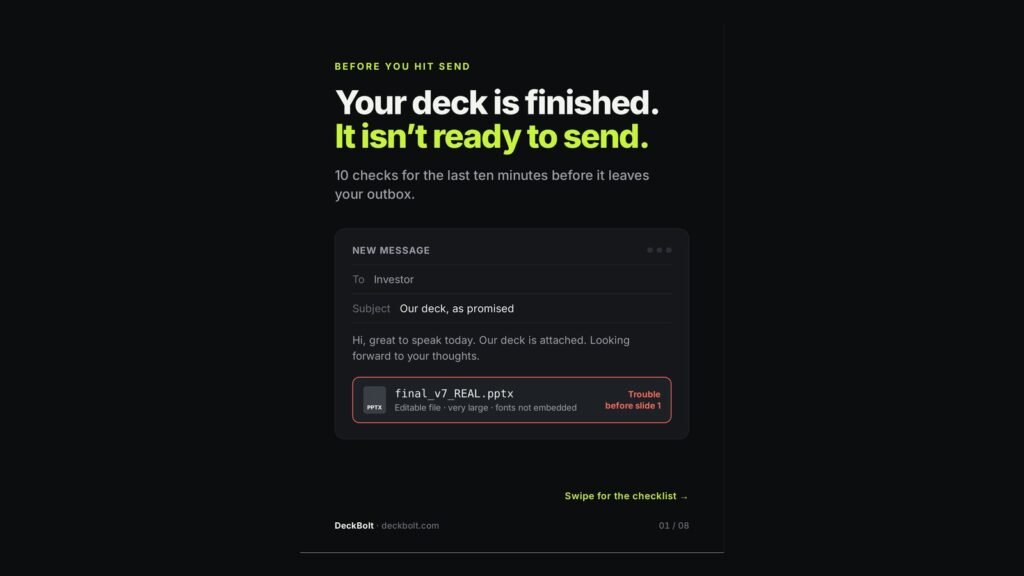
The slides are done, the email is drafted, and the attachment is called final_v7_REAL.pptx. It is an editable file, it is very large, and the fonts are not embedded. That deck is in trouble before anyone sees slide 1.
Why this matters: built on your screen, read on theirs
Once it is sent, your deck has to work without you. It passes through moments you do not control:
- Your laptop: your fonts, your notes, and you in the room to explain.
- Their inbox: a file name, a file size and a cover slide in the preview.
- Their phone: a small screen, between two meetings.
- Forwarded: to a colleague who never saw your email or met you.
Here are ten checks for the last ten minutes before it leaves your outbox.
Checks 1–3: the file
1. Send a PDF
Editable files can shift layouts, swap fonts and invite edits. Export a PDF, or share a view-only link.
2. Name it like you want it found
They will search their inbox for it next week. final_v7_REAL.pdf will not be found. Company_Seed_Deck_Sep2026.pdf will.
3. Keep it light
Heavy attachments can be blocked or turned into download links. Compress images before you export.
Checks 4–6: the frame
The first and last slides do the most work.
4. The cover says what you do
One line under the logo: what you do, for whom. It is the first thing they see.
5. Contact details on the last slide
Name, email, website. Forwards lose the email thread.
6. Number the pages
“Slide 7” beats “the one with the blue chart” when feedback comes back.
Checks 7–8: the leftovers
Old versions leave fingerprints.
7. Clear what should not travel
An editable file carries everything inside it. Search for hidden slides, speaker notes, comments, placeholders like “TBD” or “[insert chart]”, old dates, and names from a reused deck.
8. Make the numbers agree
If a figure appears twice, it has to match twice. “1,200 users” on slide 3 and “1,050 users” on slide 11 will be noticed.
Checks 9–10: the device test
Open it where they will open it.
9. Open it on a phone
If you have to zoom to read it, so will they. Enlarge it or cut it.
10. Open it on someone else’s computer
A missing font gets swapped and line breaks move. Click every link while you are there.
The send-ready checklist
- Sent as a PDF or view-only link
- Clear, searchable file name
- Light enough to attach
- Cover says what you do in one line
- Contact details on the last slide
- Page numbers on
- No hidden slides, notes, comments or TBDs
- Every repeated number matches
- Readable on a phone
- Fonts and links checked on another computer
Great slides can still arrive broken. DeckBolt builds investor-ready pitch decks, sales decks and executive presentations in PowerPoint and Google Slides, from the storyline to the send-ready file. Sending a deck soon? Get in touch.