
The project slipped. The launch was late, the budget ran over, or the result came in well under plan. A few weeks later someone books an hour with the leadership team and builds a post-mortem deck.
Many of those decks follow the same shape. A background slide. A timeline, week by week. A slide of what went wrong, a slide of what went right, and a slide called “Lessons Learned” with ten or fifteen bullets on it: communicate earlier, test more, plan better, involve the stores sooner. Everyone nods. The meeting ends on time. Three months later the next project runs into the same wall.
The problem isn’t honesty or effort. It’s that the deck answers the wrong question. It answers “what happened?”, and everyone in the room already lived through what happened. The leaders came to answer a different question: “what do we change, and who is going to change it?”
This guide is for anyone who presents a project review, post-mortem or lessons-learned session to people who make decisions. It walks through five moves, one illustrative example from start to finish, and a checklist for your next one.
Note: the company, project and numbers in this article are illustrative, made up to show the method.
Why post-mortem decks turn into lists
It helps to understand why the usual deck looks the way it does, because the shape is a natural one. When you sit down to review a project, you start where your memory starts: at the beginning. You rebuild the timeline so everyone agrees on the facts. The trouble starts when the timeline you built for yourself becomes the deck you show to others.
Three things then happen. First, the timeline takes up most of the meeting, because every week has a detail someone wants to correct. Second, the “what went wrong” slide becomes a list of everything that went wrong, big and small, in no particular order. Third, the lessons slide collects every idea anyone raised, because leaving one out feels like dismissing a colleague.
The result is a list that is complete, fair and impossible to act on. Fourteen lessons with no owners and no dates don’t compete with the next project’s deadlines. They lose. Nobody decided to ignore them. Nobody was asked to do anything.
A decision-ready review is built the other way around: from the decision backwards. You still do the timeline work, but you keep it in your notes or the appendix. The slides carry the cost, the few causes that mattered, the changes, and the decision you need from the room.
Move 1: Open with one line: the plan, the result and the cost
The first slide should tell leaders how big this was before you tell them anything else. One sentence does it:
We expected [plan]. We got [result]. It cost [impact].
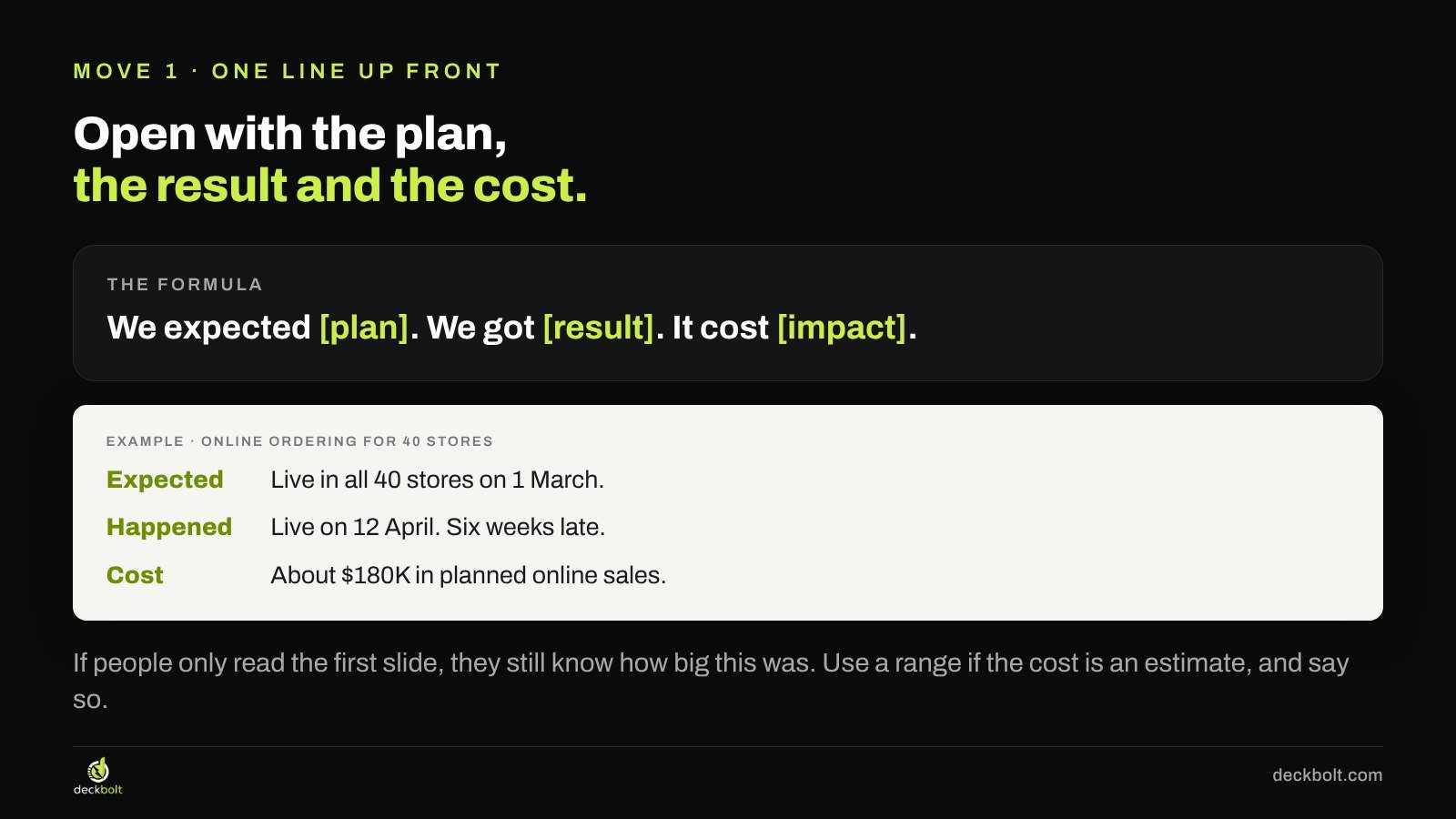
In our illustrative example, a retailer planned to launch online ordering in all 40 of its stores. The opening line reads: “We planned to have online ordering live in all 40 stores on 1 March. It went live on 12 April, six weeks late. That cost about $180K in planned online sales.”
A few details make this line work. Use the same units your leaders already track: weeks, revenue, customers, budget. If the cost is an estimate, say so and give a range or the word “about”, rather than a precise number that invites a debate about the third digit. And put the line where it will be read: as the title of the first slide, not in a speaker note.
Starting with cost sets how much attention the rest deserves: a two-day slip on an internal tool and a six-week slip on a revenue launch need different meetings.
Move 2: Replace the timeline with the causes that mattered
The timeline is the part most decks spend the longest on. It is also the part the room needs least. The leaders don’t need to relive week 8. They need to know which two or three things, if they had gone differently, would have prevented most of the cost.
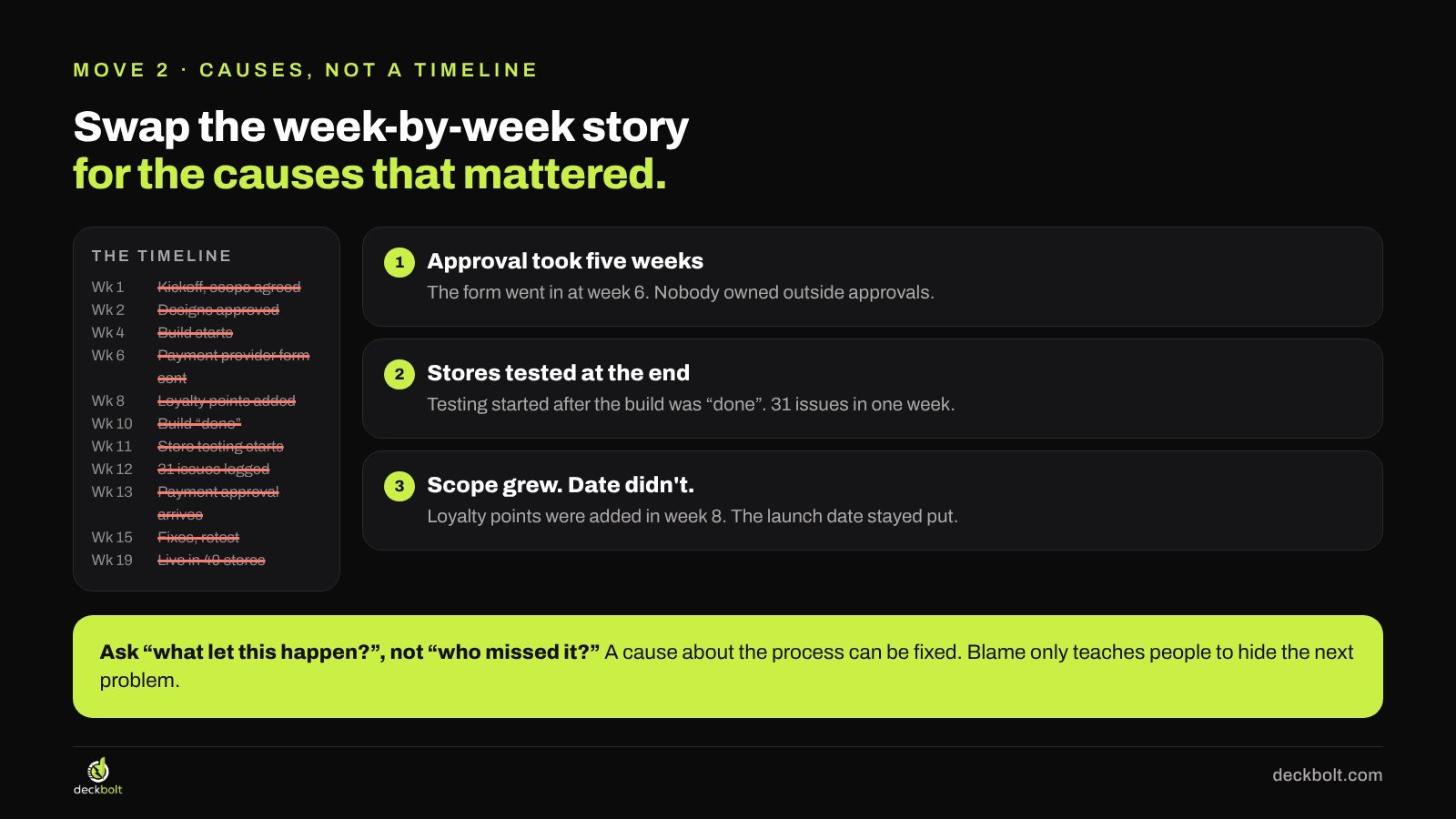
In the example, the week-by-week story had about a dozen events. When the team asked “what would have saved the most time?”, three causes stood out:
- The payment provider’s approval took five weeks. The form went in at week 6. Nobody owned outside approvals, so nobody started them early.
- Stores only tested at the end. Store testing started after the build was called “done”. It turned up 31 issues in a single week, and fixing them pushed the date.
- Scope grew and the date didn’t move. Loyalty points were added in week 8. The launch date stayed where it was, so the extra work came out of testing time.
Notice how each cause is written. It names what happened, and it names the gap in the process that let it happen. That’s deliberate. A useful test is to ask “what let this happen?” rather than “who missed it?”. A cause about the process can be fixed by changing the process. A cause about a person tends to produce defensiveness in the room and, over time, teaches people to hide the next problem instead of raising it early.
How many causes? Usually two or three. If you find yourself with seven, some of them are symptoms of the same cause, or they are small enough to note in the appendix. Keep the full timeline available as a backup slide in case someone asks, but don’t present it.
Move 3: Turn each lesson into a change with an owner and a date
A lesson is advice. “Test more” is true, and nobody will disagree with it, which is exactly why it rarely changes anything. A change is specific enough that you can tell next quarter whether it happened.
Every change on your slide should have four parts:
- What changes: a sentence that describes the new way of working.
- Owner: one named role or person, not “the team” or “everyone”.
- From when: the next project, a month, or “now”.
- How we’ll check: one observable signal that the change is working.
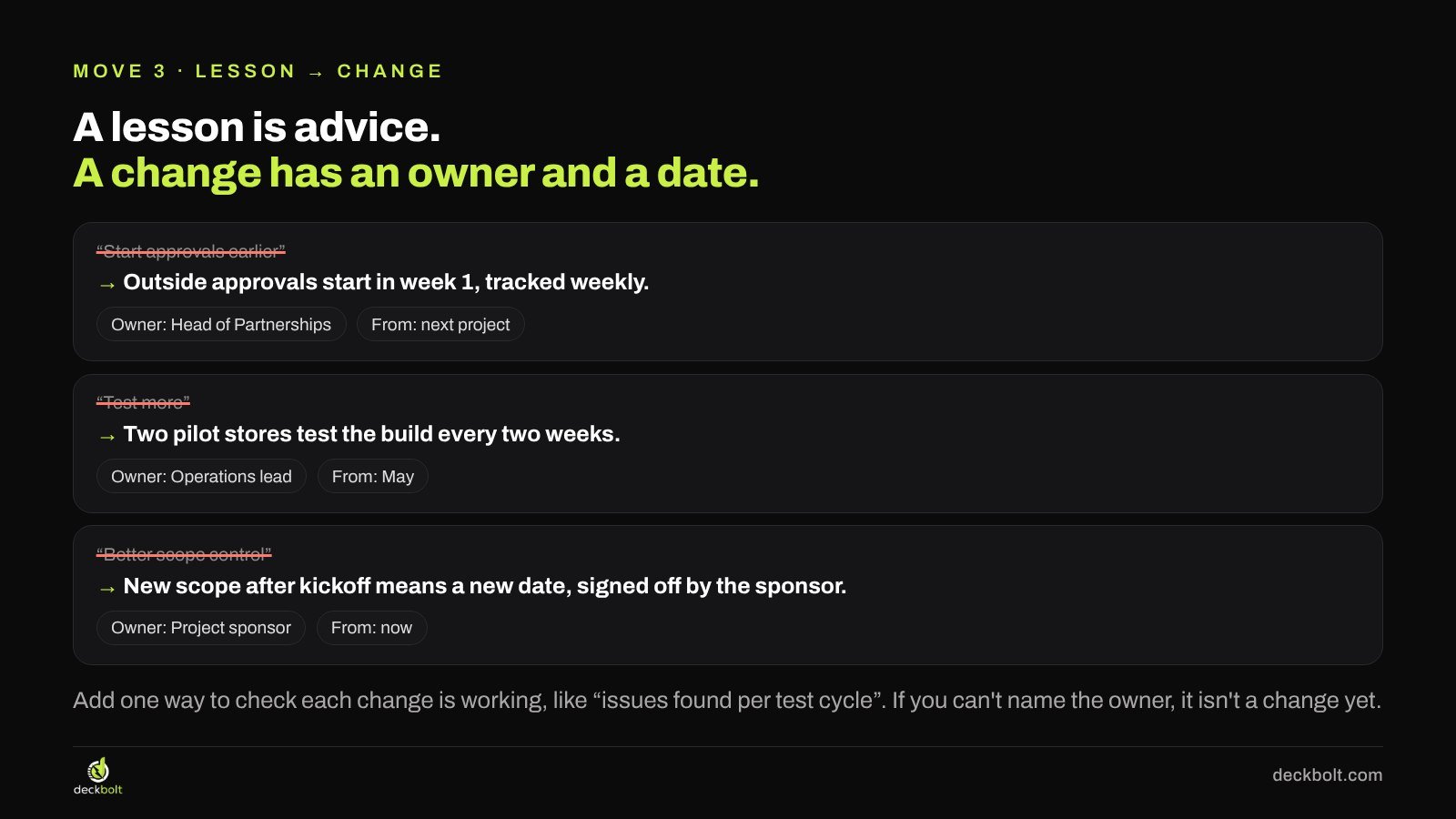
Here is how the example’s lessons became changes:
- “Start approvals earlier” became “Outside approvals start in week 1 and are tracked every week.” Owner: Head of Partnerships. From: the next project. Check: approvals listed on the weekly status report.
- “Test more” became “Two pilot stores test the build every two weeks.” Owner: Operations lead. From: May. Check: the number of issues found in each test cycle.
- “Better scope control” became “New scope after kickoff means a new date, signed off by the sponsor.” Owner: the project sponsor. From: now. Check: a short change log reviewed once a month.
If you can’t name an owner for a change, that’s a signal. Either the change isn’t concrete enough yet, or the room needs to decide who owns it, which makes it a good item for the decision at the end.
Move 4: Keep three changes, not fourteen
This is the hardest move, because it means leaving out ideas that people raised in good faith. But a list of fourteen spreads attention so thin that none of the items gets an owner, a date and a check. Three can.
Use one filter for every lesson on the long list: would this change have prevented a big part of the cost? In the example, earlier approvals, pilot-store testing and the scope rule each would have saved weeks. “Celebrate wins”, “fewer meetings” and “better tools” may all be good ideas, but none of them explains the six weeks.
The rest don’t disappear. Put them in an appendix slide or in the team’s own notes, so the people who raised them can see they were heard. They just don’t compete for the leadership team’s attention in this meeting.
Move 5: End with the decision you need from the room
A review that ends with “Thank you” or “Questions?” hands the next step to whoever speaks first. A review that ends with a clear ask gives the meeting a job.
Look at your changes and find the one that the team can’t make on its own. In the example, the project team can start approvals earlier and set up pilot-store testing without permission. The scope rule is different. Only the leadership team can hold a launch date when someone senior asks for one more feature. So the last slide says:
Today we need: a yes to “new scope after kickoff means a new date.”
Underneath, add two short lines: why it has to be this group, and what happens if they say yes. Then book the follow-up before you leave the room. Ninety days later, look at the three changes together: done, in progress, or dropped, and why. That check-in is what turns a review into a habit.
Before and after: the same review, two ways
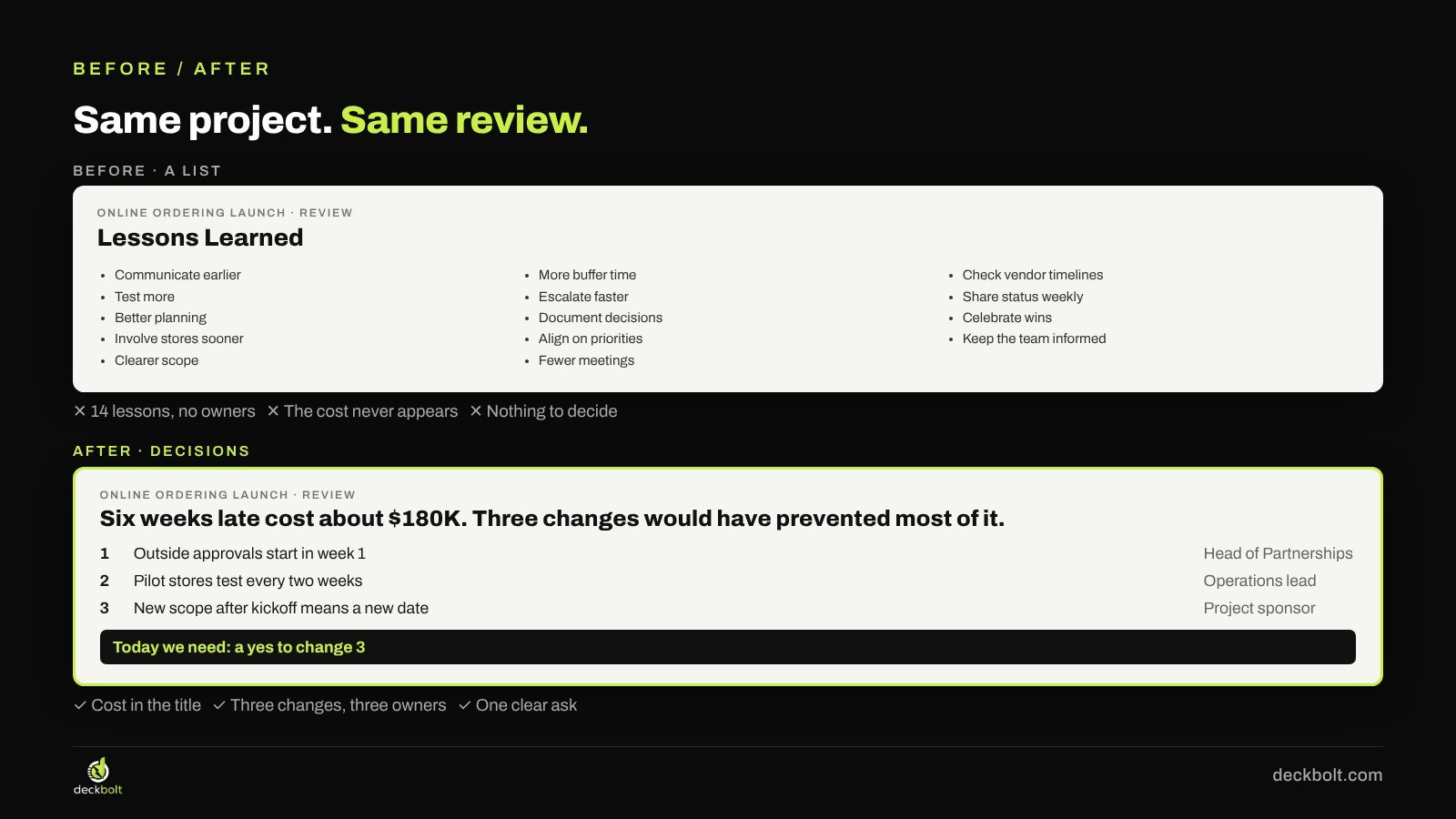
The “before” version of the example had a single lessons slide with fourteen bullets: communicate earlier, test more, better planning, involve stores sooner, clearer scope, more buffer time, escalate faster, document decisions, align on priorities, fewer meetings, check vendor timelines, share status weekly, celebrate wins, keep the team informed. Every item is reasonable, but none has an owner, the cost never appears and there is nothing to decide.
The “after” version puts the cost in the title: “Six weeks late cost about $180K. Three changes would have prevented most of it.” Below that sit three rows, one per change, each with its owner. A bar at the bottom carries the ask: a yes to the scope rule. The full timeline and the other eleven ideas move to the appendix.
Building it in PowerPoint or Google Slides
You don’t need special tools for any of this, but a few habits make the deck easier to build and easier to read.
- Write the slide titles first. In PowerPoint, View → Outline View lets you type every title in one place. In Google Slides, write them in a document first, then paste them into title placeholders. Read the titles in order: if they tell the story on their own, the deck works.
- Use a simple table for the changes. Four columns (change, owner, from, check) is enough. Keep the borders light and the text left-aligned so it reads as a plan, not a spreadsheet.
- Put the timeline in the appendix. In PowerPoint you can add a section called Appendix (right-click a slide thumbnail → Add Section) and hide it during the presentation if you like. In Google Slides, move the backup slides after a divider slide at the end.
- Make the ask stand out. One coloured bar or box on the last slide is enough. Avoid using the same colour anywhere else on that slide, so the eye goes straight to it.
Common mistakes to avoid
- Turning causes into blame. “Partnerships submitted the form late” invites a defence. “Nobody owned outside approvals” invites a fix.
- Hiding the cost. Some reviews avoid putting a number on the delay. Leaders will estimate it anyway, often less kindly. Give your best estimate and say how you got it.
- Too many changes. If every slide ends with “and we’ll also…”, the list has crept back. Hold the line at three.
- No follow-up date. Without a check-in, the changes compete with daily work and usually lose.
A five-question checklist for your next post-mortem deck
- Does the first slide say what we expected, what happened and what it cost?
- Have you named the two or three causes that mattered, rather than replaying the timeline?
- Is every cause about the process, not about a person?
- Does each change have an owner, a start date and a way to check it?
- Do you end with one decision you need from the room today?
And one test for afterwards: three months after the meeting, can anyone point to something that works differently because of it? If not, the review was a report, not a decision. For more on structuring leadership decks, see how to put the answer first in executive presentations, how to build a board meeting deck, how to present a budget request and how to present research findings that lead to decisions.
Need help with a review that matters?
DeckBolt designs leadership, board and executive presentations that end in decisions, in PowerPoint and Google Slides. If you have a project review, post-mortem or board update coming up, send us the draft and we’ll tell you which slides to fix first. Request a free deck review.