
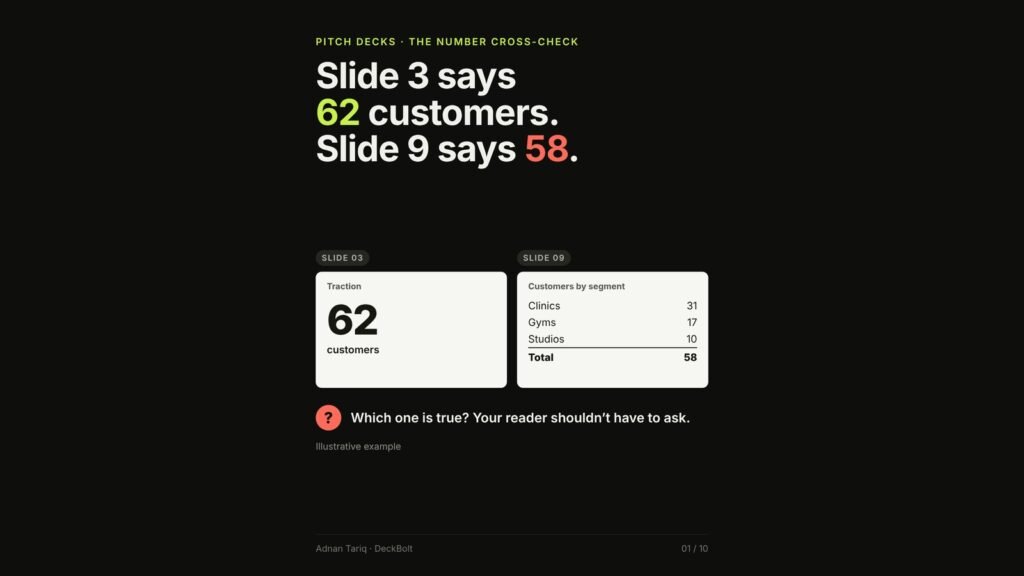
Slide 3 says 62 customers. Slide 9 says 58. Usually nobody made anything up: one slide got this month’s number and the other kept last month’s. But a careful reader can’t know that. They see two answers to one question, and every other number in the deck gets a second look. Here is how to cross-check a deck’s numbers against each other before anyone else does.
One mismatch, and every number gets a second look
Careful readers cross-check. They compare the cover with the traction slide, and the ask with the plan. When two slides disagree, three things happen:
- It’s usually an accident. One slide got this month’s number. Another kept last month’s.
- It still changes how you’re read. The reader stops following the story and starts checking the math.
- It raises a bigger question. If the deck doesn’t agree with itself, how solid is the model behind it?
Five places decks disagree with themselves
- Same metric, two values: the traction slide and the customer slide show 62 and 58 customers.
- Parts vs the total: the use of funds adds up to $1.4M for a $1.5M raise.
- Growth math: the cover claims “10× growth” for revenue that went from $7K to $48K a month.
- Runway vs milestones: the ask buys 18 months of cash, but the roadmap’s goal lands at month 24.
- Team vs payroll: 6 people today plus 8 planned hires, but 12 people in the financial model.
Check 1: same metric, same number
Most mismatches are two dates or two definitions. In the example, slide 3 counted signed contracts on 30 September and slide 9 counted paying customers on 31 August. Both numbers were “right”, and together they look wrong. The fix is one number on both slides: 60 paying customers, as of 30 September 2026.
- Use one “as of” date for the whole deck.
- Write each definition once, for example: “paying” means billed at least once.
- Use one word for one thing. Not customers on one slide, clients on the next and accounts later.
Check 2: the parts add up to the whole
A use-of-funds split of $600K for product, $500K for sales and $300K for operations adds up to $1.4M. If the ask is $1.5M, $100K is unaccounted for. The same goes for shares: 40% + 30% + 20% + 15% is 105%.
Put the total on the slide. It forces you to do the sum. Rounding can land on 99% or 101%, and that’s fine with a short note: “Shares rounded.” (More on building the ask around milestones in our post on use-of-funds slides.)
Check 3: growth math
A multiple and a growth percentage are not the same number. Going from $7K to $48K a month is:
- Multiple: new ÷ old = 48 ÷ 7 = 6.9×
- Growth: (new − old) ÷ old = 41 ÷ 7 = +586%
Writing +686% mixes the two up. Quick sense checks: doubled is 2×, or +100%. Tripled is 3×, or +200%. “10× growth” from $7K needs $70K. And round down, never up: “almost 7×” holds up, “10×” doesn’t.
Check 4: time and people tell one story
If the ask says 18 months of runway, every milestone the round pays for should land inside those 18 months. A “Series A ready” goal at month 24 lands six months after the money runs out. Headcount works the same way: a team of 6 plus 8 planned hires is 14, so a model that shows 12 people at month 18 doesn’t match the plan. Either the plan or the model is out of date. Find out which before an investor does.
The fix: keep every number in one sheet
Keep one table of deck numbers with a single “as of” date: each metric, its value, and the slides it appears on. For example, paying customers (60) on slides 3, 9 and 14, monthly revenue ($48K) on slides 3 and 11, and the raise ($1.5M) on slides 13 and 14. Slides only copy from the sheet.
- Change a number: change it in the sheet first, then on every slide in its row.
- Charts: link them. In PowerPoint, paste charts from Excel with one of the “Link Data” paste options. In Google Slides, insert charts from Sheets and click Update when the data changes.
The cross-check, in five questions
- Does every metric show the same value everywhere it appears?
- Do all numbers share one “as of” date and one definition?
- Do the parts add up, including use of funds to the ask?
- Are multiples and percentages worked out from the same two numbers?
- Do runway, milestones and headcount tell the same story?
Tip: search the deck (Ctrl+F or Cmd+F) for the old value of every key number. If it’s still there, a slide missed the update. (For the checks on the PDF file itself, see our post on pre-send PDF checks.)
The company numbers, dates and slide numbers above are illustrative.
Want fresh eyes on your deck before investors see it? Send it over for a free review. We will go through the story, the design and the numbers. Request a free deck review.