
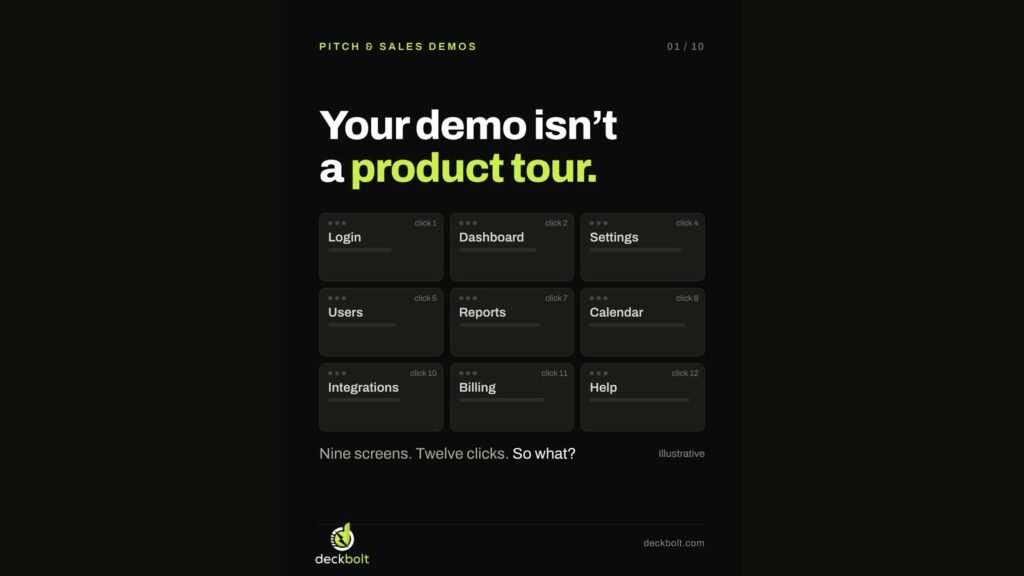
Many demos in a pitch or sales meeting start at the login screen and click through every menu: dashboard, settings, users, reports. Twelve clicks later, the room still doesn’t know why any of it matters. A tour shows what a product contains. A demo should prove one claim. Here’s how to rebuild it in five steps.
Why a product tour loses the room
- Every click is a wait. Log-ins, loading screens and menus opening. The room sits through all of it.
- Every screen is new to them. You know where everything is. They’re still reading the menu bar.
- Nothing says what matters. Without a point, every feature gets the same weight, so none stands out.
Write the claim first
Before you plan a single click, finish this sentence: “After this demo, they should believe ___.” In the example, a scheduling app for cleaning companies, the claim is “A manager can cover a sick cleaner’s shift in under a minute.” If you can’t fill the blank in one sentence, the demo isn’t ready.
1. Start where the problem happens
Not at the login screen, and not on the dashboard. Open on the moment your audience recognizes: “7:10 am. A cleaner calls in sick.” Be signed in before the meeting, with that screen already open.
2. Five screens or fewer
Each screen should move the story one step: the open shift, who’s free nearby, one tap to offer the shift, and the result, “Covered”. Reports, settings and integrations go in the follow-up, not the demo.
3. Say where to look, then click
If people are watching the wrong corner, the best click is wasted. Use three beats: say what’s about to change and where (“Watch this shift turn green”), click once, slowly enough to follow, then point to the result out loud (“There. Covered in 48 seconds.”) and pause.
4. Plan for it breaking
Wi-Fi drops, log-ins expire and pop-ups appear. Decide in advance what happens then:
- Plan A, live: a demo account with clean sample data, notifications off.
- Plan B, a recording: a short video of the same path, ready to play.
- Plan C, screenshots: the key screens on slides, in the same order.
Test it on the screen and Wi-Fi you’ll actually use, not just at your desk.
5. Wrap the demo in two slides
Put a set-up slide before the demo (“Every sick call means a morning on the phone”) and a result slide after it (“Shift covered in 48 seconds”). The result slide is what survives the meeting: when the deck is sent on as a PDF, the demo isn’t in it, but that slide is. (The same idea applies to every slide that has to work without you: see when your pitch deck gets forwarded.)
Five checks before your next demo
- Can you say the claim in one sentence?
- Does it start where the problem happens?
- Five screens or fewer?
- Do you say where to look before each click?
- Is Plan B ready to play?
If the demo lives inside a pitch deck, think about where it lands in the running order too: see how to order your pitch deck.
The app, screens and timings in this example are illustrative.
Got a pitch or sales meeting coming up? Send the deck over for a free review, and we will show you where the story loses people. Request a free deck review, or see our sales presentation design service.