
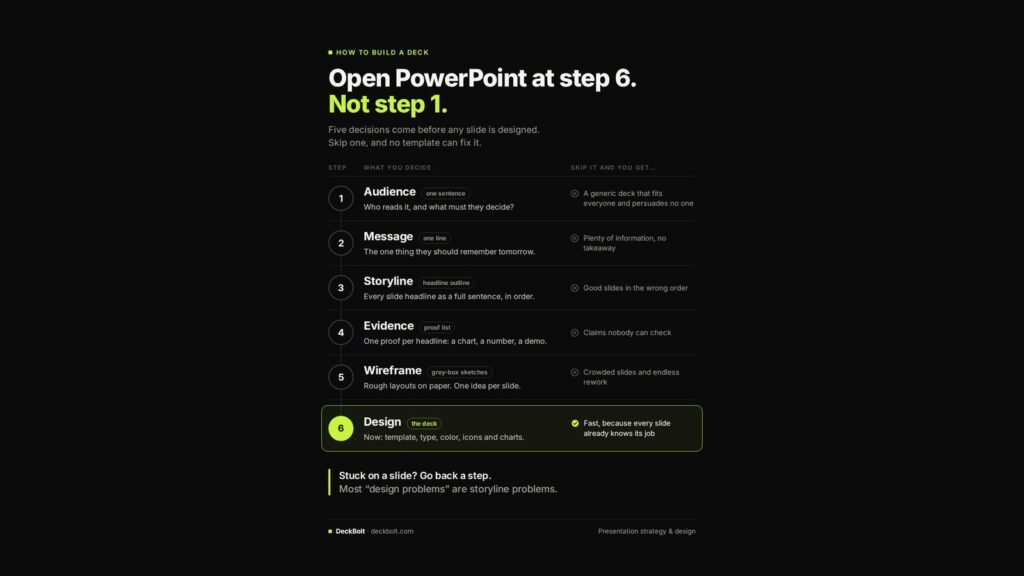
Most decks start the same way: someone opens PowerPoint, picks a template and starts filling in slides. It feels productive. It is actually step 6 of 6, and the five steps that should come first are being made up as you go.
Five decisions come before any slide is designed. Skip one, and no template can fix it.
Step 1: Audience (one sentence)
Decide: who reads it, and what must they decide?
Skip it and you get: a generic deck that fits everyone and persuades no one.
Step 2: Message (one line)
Decide: the one thing they should remember tomorrow.
Skip it and you get: plenty of information, no takeaway.
Step 3: Storyline (a headline outline)
Decide: every slide headline as a full sentence, in order.
Skip it and you get: good slides in the wrong order.
Step 4: Evidence (a proof list)
Decide: one proof per headline: a chart, a number, a demo.
Skip it and you get: claims nobody can check.
Step 5: Wireframe (grey-box sketches)
Decide: rough layouts on paper, one idea per slide.
Skip it and you get: crowded slides and endless rework.
Step 6: Design (the deck)
Now choose the template, type, colour, icons and charts.
The result: design goes fast, because every slide already knows its job.
Stuck on a slide? Go back a step
Most “design problems” are storyline problems. If a slide will not come together visually, check whether its headline is a real sentence (step 3) and whether it has one clear proof (step 4). The fix is usually there, not in the layout.
Want help with steps 1 to 5 as well as the design? That is how we build every deck at DeckBolt. Start a project or send your current deck for a free review.